Jira Software Integration
Jira Software is a powerful platform that combines issue collection and agile project management capabilities into a single application. Using Jira Software helps you plan and organize tasks, workflows, and reports for your agile team more efficiently.
Authentication
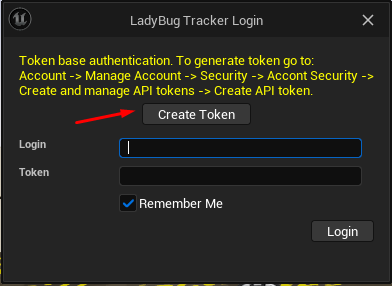
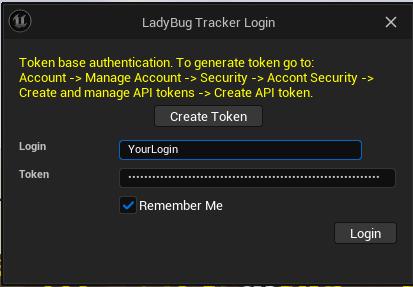
- In the plugin Open the login settings window. Then click “Create Token”
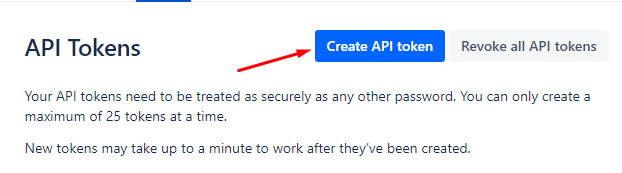
- You should be redirected to your Jira account page. Click “Create API token”
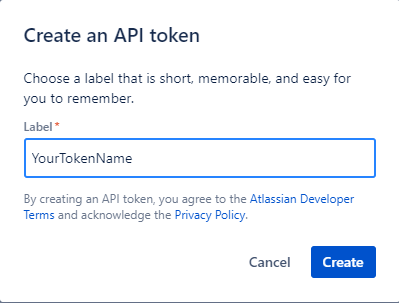
- Enter the token name and click “Create” to create a token
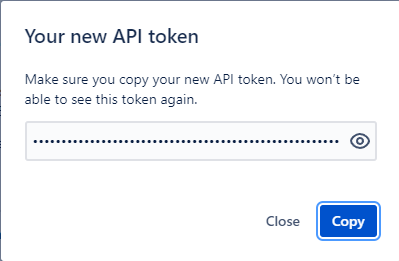
- Copy the token to the clipboard
- Enter your login and past token from the clipboard. Then click “Login”.
Setup project
The easiest way to set up a project is to use the "Bug Tracking" template.
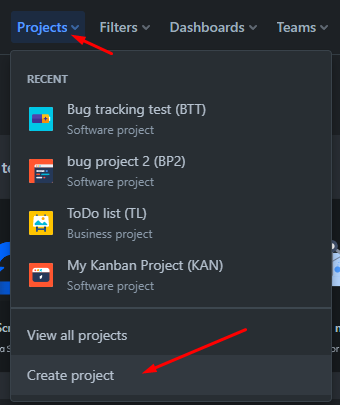
- Go to create a project page
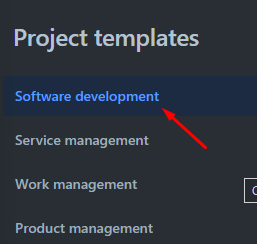
- Select “Software development” category
- Select “Bug tracking template
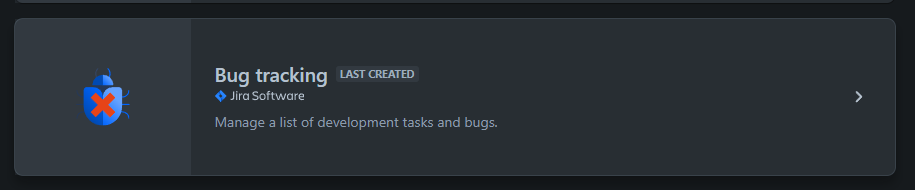
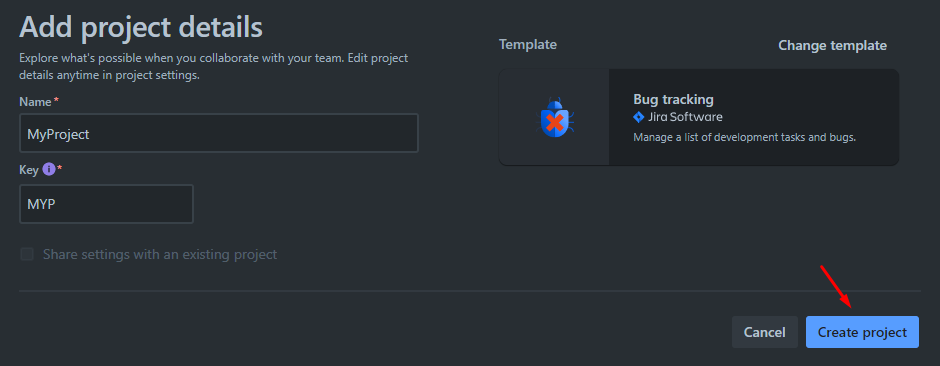
- Enter a project name and key and then click “Create Project”
- Add custom fields to the project. The fields should be named "Camera" and "Level" and should be of type "Short text". Adding new custom fields is not an easy process in Jira. Please read the Jira documentation to learn how to do that. These fields are mandatory to enable all the features of the plugin. https://confluence.atlassian.com/adminjiraserver/adding-custom-fields-1047552713.html